

Stop running your store on manual. That’s really what this guide is about.
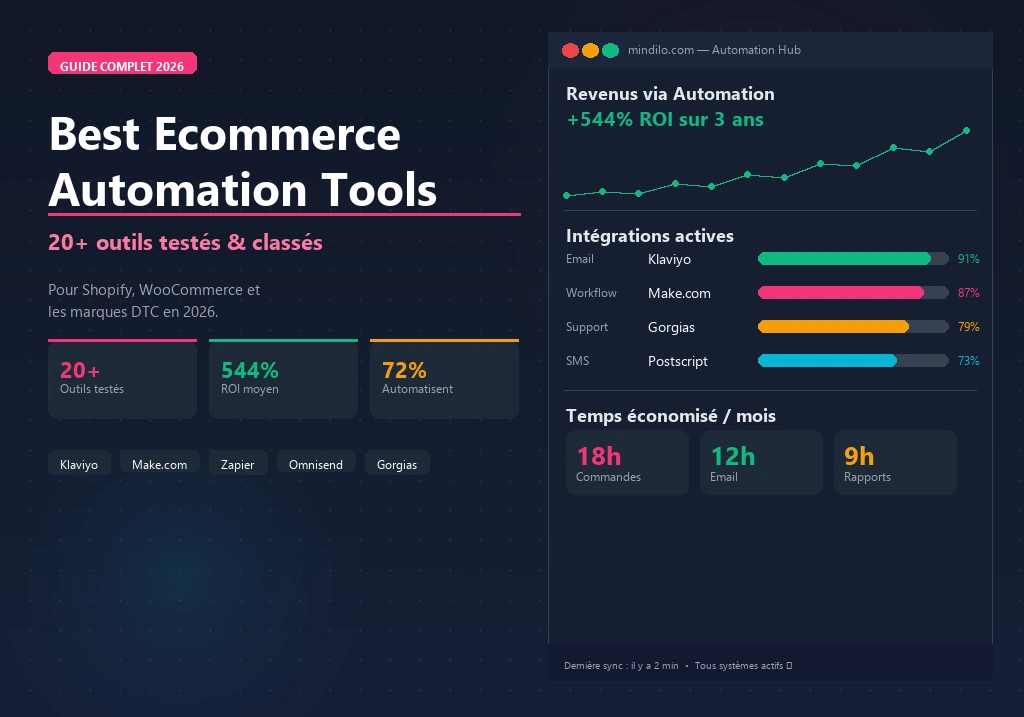
72% of successful ecommerce businesses already use automation in some part of their workflow — and the ones that don’t are competing at a structural disadvantage. Companies that implement marketing automation see $5.44 in revenue for every dollar spent over three years. Email automation alone delivers $36 back per dollar invested, accounting for nearly 28% of total marketing revenue for top-performing stores. Those aren’t marginal gains. They’re the difference between a store that scales and one that stalls.
This isn’t a list of 50 ecommerce automation tools you’ll skim and forget. It’s a structured overview of the automation stack that actually moves the needle for Shopify and WooCommerce founders — organized by function, with a clear framework for choosing the right tools at the right stage of growth.
By the end, you’ll know which tools to implement, in what order, and how to wire them into a system that runs your store’s operations without requiring your constant attention.
What Are Ecommerce Automation Tools (and Why You Can’t Skip Them in 2026)
Here’s the short answer: ecommerce automation is the use of software and workflows to handle repetitive operational tasks without you manually doing them. It works through a trigger-action-workflow structure — a customer places an order, abandons a cart, or subscribes to a newsletter, and a predefined sequence fires automatically: confirmation email sent, inventory updated, customer tagged in your CRM.
When you build this correctly, ecommerce automation tools reduce operational overhead by 40–60%, cut human error rates by up to 95%, and give founders back 20+ hours per week. The key thing that sets ecommerce-specific automation apart from general business software is that it’s designed around the customer journey — from first click through purchase, fulfillment, and retention.
In practice, automation covers three layers:
Layer 1 — marketing automation: Email flows, SMS sequences, abandoned cart recovery, customer segmentation, post-purchase nurturing.
Layer 2 — operational automation: Order processing, inventory sync, shipping label generation, supplier alerts, fraud detection.
Layer 3 — productivity automation: SOPs, team workflows, reporting dashboards, task routing, internal communication triggers.
Most founders start with marketing automation — it has the highest direct revenue impact. Then they layer in operational tools as order volume grows, and systematize productivity as the team expands. That’s the sequence that works.
How to Choose the Right Ecommerce Automation Tools for Your Store
Before diving into individual tools, let me be direct about what actually determines fit:
Volume threshold: Some tools only become cost-effective at scale. Klaviyo makes sense at 500+ contacts. Make.com becomes powerful at 5,000+ monthly automation events. Don’t pay for infrastructure you don’t yet need.
Platform compatibility: Always verify native integrations with your store platform. Native integrations are more reliable than third-party connectors and update automatically when the platform changes.
Complexity vs. simplicity: Zapier wins on ease of use. Make wins on complex logic. For a simple three-step workflow, Zapier is the right call. For anything involving conditional branching, JSON parsing, or multi-step data transformation, Make is the better choice.
Budget stage: Start with tools that have free tiers — shopify Flow, Omnisend, Make’s free plan — and upgrade only when revenue justifies the cost.
No-Code Workflow Automation Tools
This category covers tools that connect your apps and automate cross-platform workflows without requiring any coding knowledge.
1. Make (formerly Integromat) — Best for Complex Ecommerce Workflows
Make is built for stores with complex multi-step automations, data transformations, or 5,000+ monthly automation events. If you’ve hit the ceiling of what a simple trigger-action tool can do, this is where you go next.
It uses a visual canvas interface where you build “scenarios” — sequences of connected modules that process data between your apps. Unlike linear automation tools, Make supports advanced logic: conditional routing, error handling, data parsing, and array manipulation. You can literally see how data flows through each step.
For ecommerce, that means things like: a Shopify order triggers a fulfillment record in your 3PL, fires a Slack notification to the warehouse team, updates a Google Sheet inventory tracker, and sends a personalized confirmation email — all in under 2 seconds. That kind of multi-step orchestration is where Make shines.
Worth noting: Make offers 3,000+ app integrations including 560 AI apps, and at scale it runs about 60% cheaper than Zapier for comparable usage volumes. Plans start free (1,000 operations/month) and go paid from $9/month. You can try Make free here.
For a detailed head-to-head comparison, see our guide: Make vs Zapier for Ecommerce: Which Automation Tool Wins in 2026?
2. Zapier — Best for Beginners and Simple Integrations
If you’re just getting started with automation, Zapier is probably your best first move.
It connects 8,000+ apps through “Zaps” — simple trigger-action automations that take minutes to set up, not hours. There’s no learning curve to speak of. You pick a trigger, pick an action, authenticate your accounts, and you’re live. An AI-powered Zap builder even lets you describe what you want in plain English and builds the automation for you.
Real use case: when a Shopify order is tagged “high-value,” Zapier automatically creates a personalized thank-you task in Notion, adds the customer to a VIP segment in Klaviyo, and sends the founder a Slack message. That’s a 3-step workflow you could have running in 10 minutes.
It’s free up to 100 tasks/month, with paid plans from $19.99/month. Try Zapier free here.
3. Shopify Flow — Best Free Automation for Shopify Stores
If you’re on Shopify, you already have this. Use it.
Shopify Flow is built directly into Shopify — no external accounts, no integration headaches, no sync delays. It uses a visual trigger-condition-action builder with 100+ pre-built templates covering the most common ecommerce scenarios: inventory alerts, customer tagging, fraud flags, loyalty program triggers, product launches. And it’s completely free for Shopify merchants.
The limitation is real: it only works within the Shopify ecosystem. For cross-platform workflows connecting Shopify to external tools, you’ll need Make or Zapier. But for Shopify-native automation, don’t skip it.
Learn the full setup process in our guide: How to Set Up Shopify Flow: Complete No-Code Automation Guide
Email & SMS Marketing Automation Tools
Email automation for ecommerce means behavior-triggered sequences that send the right message at the right moment without you manually doing anything. Welcome series convert new subscribers at 3–5× the rate of broadcast emails. Abandoned cart sequences recover 15–20% of abandoned sessions when the first email goes out within an hour. Post-purchase flows generate repeat purchases at 40% higher frequency. Win-back campaigns reactivate 10–15% of lapsed customers.
In 2026, the platforms worth your time combine behavior-based triggers with real-time segmentation and predictive AI. Email automation accounts for 27.9% of total marketing revenue for stores that implement it systematically — that’s not a nice-to-have number.
4. Klaviyo — Best for Data-Driven Ecommerce Email Marketing
Klaviyo is the industry standard for ecommerce email. Over 130,000 stores use it, and there’s a reason: its entire architecture is built around a unified customer data platform that syncs real-time behavioral data from your store. Every browse, click, purchase, and return feeds into your segments and flows automatically.
The key thing that separates Klaviyo from most email platforms is this: most platforms send to lists. Klaviyo sends based on behavior. That distinction produces dramatically higher revenue per recipient because messages are contextually relevant, not broadcast.
Here’s what that looks like practically — real-time behavioral segmentation, predictive AI for customer lifetime value and churn risk, A/B testing inside flows (not just campaigns), SMS and email in one unified platform, and 700+ pre-built integrations with 1-click Shopify and WooCommerce setup.
It’s free up to 250 contacts, with paid plans from $20/month scaling with contact count. Try Klaviyo free here.
See our full comparison: Klaviyo vs Omnisend: Best Email Automation for Ecommerce 2026
5. Omnisend — Best Value for Growing Ecommerce Stores
For stores under 50,000 contacts that are keeping a close eye on costs, Omnisend is the stronger fit.
It covers email, SMS, push notifications, and WhatsApp in a single platform with pre-built ecommerce workflows that launch in minutes. It’s 15–30% cheaper than Klaviyo at comparable tiers, and its free plan is genuinely usable — 500 emails/month with full automation access included.
What you get: pre-built automations for welcome, abandoned cart, post-purchase, and win-back flows; a product picker for drag-and-drop product blocks in emails; and 24/7 live chat support even on the free plan. That last one matters more than people expect when something breaks on a Friday evening.
Worth being honest about: Omnisend has less advanced segmentation logic and fewer predictive AI features than Klaviyo. For stores under $1M revenue, that gap rarely matters. Plans start at $16/month. Try Omnisend free here.
6. ActiveCampaign — Best for CRM + Email Automation Combined
This one’s different. ActiveCampaign combines email marketing, automation, and a full CRM in one platform — and that matters if you’re selling higher-priced products where relationship management is part of the sales process.
Pure email tools like Klaviyo and Omnisend don’t offer pipeline management. ActiveCampaign does. You get full CRM with lead scoring and behavioral tagging, advanced automation sequences with conditional logic, and deep Shopify and WooCommerce integrations. Plans start from $15/month with a 14-day trial (no free plan).
For a full comparison of email platforms, see: Best Email Marketing Automation Tools for Ecommerce 2026
Operational & Productivity Automation Tools
7. Notion — Best for Ecommerce SOPs and Team Knowledge Systems
Every process in your store that happens more than once should be documented. Notion is where that documentation lives.
It’s become the operational backbone of thousands of ecommerce brands — the place where SOPs live, team onboarding happens, and strategic decisions get recorded. With AI integration now built in, it can auto-summarize processes and generate checklists from rough notes. The practical use cases: standard operating procedures for every repeatable task, product launch checklists, supplier communication templates, weekly reporting dashboards linked to KPI data.
It’s free to start, with paid plans from $10/month per user. Try Notion free here.
Learn how to structure this system in our guide: How to Build Ecommerce SOPs with Notion: Complete Template
8. Airtable — Best for Ecommerce Data Dashboards and Inventory Tracking
Think of Airtable as a spreadsheet that learned to think. It sits between a spreadsheet and a database, with a UI accessible enough for non-technical founders but powerful enough to handle complex relational data.
For ecommerce stores, the core use cases are: product catalog management with variant tracking, supplier and purchase order databases, inventory replenishment trackers with automated alerts, and marketing campaign calendars. Its built-in automation can trigger actions when records meet certain conditions — essentially a row-level equivalent of Zapier for your own operational data.
Free plan available, paid plans from $20/month per user. Try Airtable free here.
For a full stack overview, see: Best Productivity Tools for Ecommerce Founders 2026
AI-Powered Ecommerce Automation Tools
Here’s where the category gets interesting. AI-powered automation differs from rule-based automation in one critical way: instead of executing predefined actions based on fixed triggers, AI tools learn from historical data to make context-dependent decisions without requiring manual rule updates.
In ecommerce, that distinction matters most in three areas: customer service (AI agents handle inquiries with contextual understanding, not just keyword matching), inventory management (predictive AI forecasts demand based on seasonality and supplier lead times), and marketing personalization (AI determines optimal send time, content, and channel per individual customer). According to 2026 data, AI automation in ecommerce reduces operational error rates by 37% and delivers an average ROI of 284% within three years. The market is projected to reach $17 billion by 2030.
9. Gorgias — Best AI Customer Service Automation for Ecommerce
Processing 100+ support tickets a month? Gorgias was built specifically for this problem.
It’s a helpdesk designed for ecommerce, with native Shopify and WooCommerce integrations that pull order data directly into the support interface. Its AI agents handle order status inquiries, return requests, WISMO questions — with contextually accurate responses, not scripted replies. Top merchants hit a 93% automation rate. That means 93 out of every 100 tickets resolved without a human agent touching them.
The ROI data is consistent: Gorgias customers average a 40% reduction in support costs within 90 days. During peak season — black Friday, holidays — that matters enormously. Plans start from $10/month, scaling with ticket volume. Try Gorgias here.
See a complete implementation guide: How to Use AI to Automate Ecommerce Customer Service
10. Make AI Scenarios — Best for AI-Enhanced Workflow Automation
This is for the builders who want AI reasoning embedded directly in their automation — not as a separate tool, but as a step inside a larger workflow.
Make’s AI module integration lets you incorporate AI decision-making into existing automation scenarios. One workflow can: classify a customer complaint, generate a personalized response draft, route the ticket based on sentiment score, and log the outcome. All automated, all in sequence. The use cases for ecommerce specifically include generating personalized product recommendation emails from customer data, summarizing weekly sales reports using LLM integration, and creating product descriptions from a supplier data feed.
Try Make with AI integration here.
How to Build Your Ecommerce Automation Stack
The most common mistake founders make: trying to implement everything at once. The result is a complex system nobody understands, with broken connections and no clear ownership. Don’t do that.
Build in three phases:
Phase 1 — foundation (Month 1-2)
Start with the highest-impact, lowest-complexity automations:
- Shopify Flow or Make/Zapier for basic order processing workflows
- Klaviyo or Omnisend for email automation (welcome series + abandoned cart)
- Notion for documenting your SOPs as you build them
Expected outcome: 5–8 hours/week reclaimed. Abandoned cart recovery generating measurable revenue within 30 days.
Phase 2 — systematization (Month 3-4)
Layer in operational automation once the foundation is stable:
- Airtable for inventory and supplier tracking
- Advanced Klaviyo flows: post-purchase, win-back, browse abandonment
- Make for cross-platform data sync between store, email, and fulfillment
Expected outcome: 15+ hours/week reclaimed. Repeat purchase rate increases 20–30%.
Phase 3 — intelligence (Month 5-6)
Add AI-powered tools once you have clean data and stable processes:
- Gorgias AI for customer support automation
- Klaviyo predictive analytics for churn prevention and LTV optimization
- Make AI scenarios for content generation and data classification workflows
Expected outcome: Support costs reduced 30–40%. Team capacity freed for strategic work.
Ecommerce Automation Tools: Quick Comparison Table
| Tool | Category | Best For | Free Plan | Starting Price |
|---|---|---|---|---|
| Make | Workflow automation | Complex multi-step flows | ✅ 1,000 ops/mo | $9/mo |
| Zapier | Workflow automation | Simple integrations, beginners | ✅ 100 tasks/mo | $19.99/mo |
| Shopify Flow | Workflow automation | Shopify-native automation | ✅ Free | Free |
| Klaviyo | Email/SMS marketing | Advanced segmentation + AI | ✅ 250 contacts | $20/mo |
| Omnisend | Email/SMS marketing | Value-focused ecommerce email | ✅ 500 emails/mo | $16/mo |
| ActiveCampaign | CRM + Email | High-ticket, relationship-driven | ❌ Trial only | $15/mo |
| Notion | Productivity/SOPs | Team documentation systems | ✅ Limited | $10/mo/user |
| Airtable | Data/Dashboards | Structured ecommerce databases | ✅ Limited | $20/mo/user |
| Gorgias | AI customer service | Support automation for ecommerce | ❌ | $10/mo |
Frequently Asked Questions
What is the best ecommerce automation tool for beginners?
Start with Shopify Flow if you’re on Shopify — it’s free, native, and requires no external accounts. For cross-platform automation, Zapier is the most beginner-friendly option. For email automation, Omnisend offers a generous free plan with pre-built ecommerce workflows that launch in minutes.
How much does ecommerce automation cost?
You can build a functional automation stack for under $50/month: Shopify Flow (free) + Omnisend free plan + Notion free plan covers the basics. A professional stack — make, Klaviyo, Gorgias, Notion, Airtable — runs $150–$300/month depending on store volume. At that investment level, the ROI from recovered abandoned carts and reduced support costs typically covers the cost within the first 30–60 days.
What’s the difference between Make and Zapier?
Zapier is easier to use and has more integrations (8,000+). Make is more powerful for complex workflows, supports conditional logic and data transformation, and costs 60% less at scale. If your automations are simple (connect App A to App B), use Zapier. If you need multi-step workflows with branching logic, use Make. For a detailed breakdown, see our guide: Make vs Zapier for Ecommerce: Which Tool Wins in 2026?
Should I use Klaviyo or Omnisend for my Shopify store?
If your store has under 10,000 contacts and under $500K in annual revenue, Omnisend delivers 80% of Klaviyo’s functionality at 30% lower cost. If you’re scaling past $1M and need predictive AI, advanced segmentation, and flow-level A/B testing, Klaviyo’s data infrastructure justifies the price premium. Full comparison: Klaviyo vs Omnisend: Best Email Automation for Ecommerce 2026
How long does it take to set up ecommerce automation?
A basic automation stack — shopify Flow + Omnisend welcome series + abandoned cart flow — can be live in under 4 hours. A professional stack with multiple tools, custom flows, and tested sequences takes 2–4 weeks to fully implement and optimize. The time investment pays back within the first 30 days in most cases.
What tasks should I automate first?
In order of priority: (1) abandoned cart email sequence — highest direct revenue impact; (2) order confirmation and shipping notification flows — reduces support tickets; (3) new subscriber welcome series — sets expectations and drives first purchase; (4) inventory low-stock alerts — prevents stockouts; (5) customer service ticket routing — reduces response time.
Can I automate my WooCommerce store without coding?
Yes. Make and Zapier both have native WooCommerce integrations that require zero coding. Omnisend and Klaviyo connect directly to WooCommerce via plugin. For operational workflows, Airtable and Notion require no technical knowledge to implement. The WooCommerce ecosystem is slightly more demanding than Shopify to configure, but every tool in this guide supports it.
Key Takeaways
Running a profitable ecommerce store in 2026 without a systematic automation stack means competing with manual processes against brands running on infrastructure. That gap compounds over time.
The ecommerce automation tools in this guide aren’t optional upgrades — they’re operational infrastructure. But the sequence matters. Build the foundation before the sophistication. Start with marketing automation (email flows produce the fastest ROI), add operational automation as order volume grows, and layer in AI tools once your data is clean and your processes are documented.
The goal isn’t to automate everything. It’s to automate everything that doesn’t require your judgment, so your time stays on the work that actually requires you.
- 🔗 No-code automation: Make vs Zapier for Ecommerce →
- 🔗 Email automation: Best Email Marketing Automation Tools for Ecommerce →
- 🔗 AI automation: Best AI Automation Tools for Ecommerce 2026 →
- 🔗 Productivity systems: Best Productivity Tools for Ecommerce Founders →
- 🔗 SOPs: How to Build Ecommerce SOPs with Notion →